Elevate Your Book Design with a Seamless Open Cover Mockup
In the world of publishing and design, the presentation of your work is almost as crucial as the content itself. For authors, publishers, and designers, the moment a reader first encounters a book cover is a pivotal one. A flat, two-dimensional rendering often fails to capture the tangible, immersive experience of holding a book. This is where a high-quality mockup becomes an indispensable tool, transforming a static design into a compelling visual story. The Full Book Cover Mockup for 8.5 x 11 inch books is engineered to do exactly that, providing a dynamic and realistic stage for your creative vision.
More Than Just a Template: A Realistic Presentation Tool
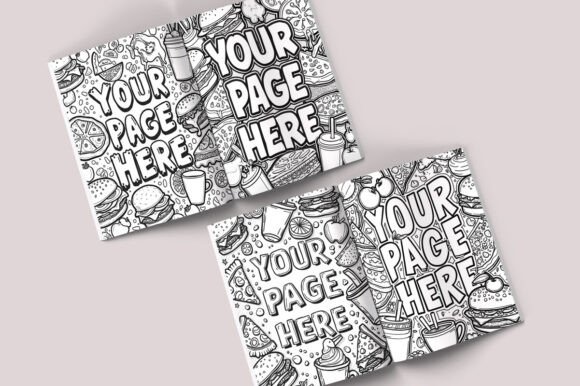
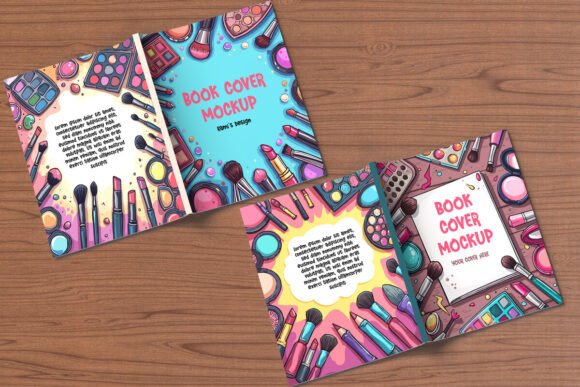
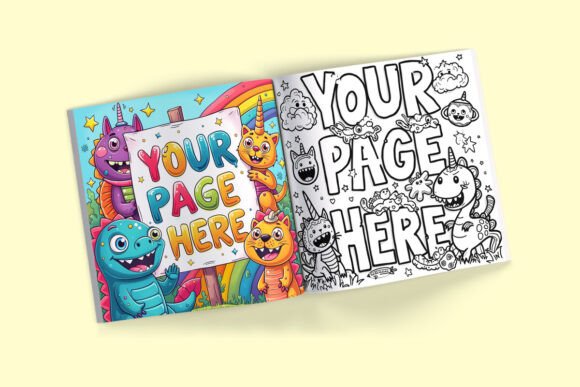
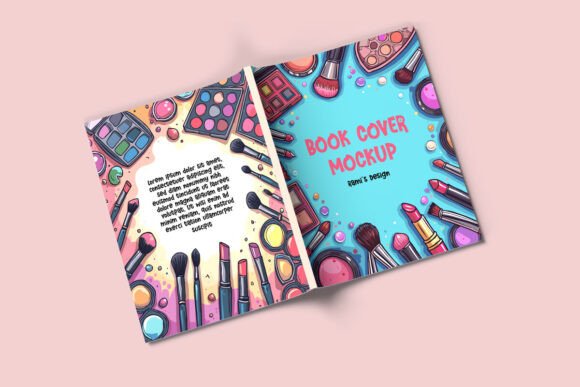
This specific mockup stands out because it presents a fully open book, displaying both the front and back covers in one seamless, continuous view. This is a critical perspective that many standard mockups overlook. For novels, annual reports, catalogs, portfolios, or any bound document, seeing the full spread communicates the complete design narrative. The visual personality of this mockup is one of professionalism and clarity. The high-resolution 3000 x 2250 px files ensure every detail of your design—from intricate typography to subtle textures—renders with stunning crispness. The default presentation has a clean, focused appeal, drawing the eye directly to your artwork while the subtle shadow work and perspective create a believable sense of depth and physicality.
The true power lies in its versatility as a design asset. The open book is isolated in its own layer group within the Photoshop file, making the application of your design straightforward. You simply use the designated smart object to place your cover artwork. Beyond the book itself, the customizable background is a significant feature. You can opt for a solid color to match your brand's palette or choose from the included wooden background textures. This allows the mockup to adapt to different project contexts—whether you're aiming for a rustic, artisanal feel for a poetry collection or a clean, corporate look for a business report. This level of control ensures the mockup supports your brand identity rather than dictating it.
Practical Applications Across Creative Projects
Understanding where and how to use this Full Book Cover Mockup can significantly enhance your workflow and final output. Its applications span far beyond simply previewing a novel cover. For editorial design and packaging design, it's perfect for showcasing lookbooks, manuals, or branded booklets. A graphic designer can use it to present a complete logo design and brand guidelines package in a tangible format. Marketers and content creators can generate compelling visuals for social media campaigns, email headers, or website banners that announce a new e-book, lead magnet, or corporate publication.
For entrepreneurs and small business owners, it elevates the perceived value of proprietary materials. Imagine presenting a client proposal or a training manual not as a PDF, but as a professionally bound book preview. This attention to detail communicates professionalism and care. Bloggers and hobbyists can use it to celebrate the launch of a self-published work or a passion project with high-impact visuals. The mockup influences visual hierarchy by giving your cover design the primary focus, while the realistic book form enhances brand perception, making the content feel more established and credible. It's a tool that directly supports audience engagement by presenting your work in a format people instinctively recognize and relate to.
Integrating the Mockup into Your Design Process
Using this resource effectively involves a few practical considerations. First, ensure your design is finalized for the 8.5 x 11 inch format. The mockup's dimensions are standard, but bleed and safe zones should be accounted for in your original artwork. When placing your design, pay attention to the spine width simulation; a well-designed mockup will allow your cover art to wrap naturally, which is essential for a believable presentation.
Evaluate the fit of the mockup for your specific project. Its strength is in showcasing complete, bound documents. If your project is a single-page flyer or a digital-only graphic, a different mockup style might be more appropriate. However, for any multi-page document, this Full Book Cover Mockup is ideal. Consider your font pairing and overall typography within the design itself. The mockup will display it faithfully, so ensure your chosen typeface—whether a classic serif font for a literary work or a clean sans serif font for a modern report—maintains its readability and intended impact at the mockup's resolution.
Always review the included files. The organized layers and smart objects are designed for effortless editing, but taking a moment to understand the file structure in the provided PDF guide will streamline your process. Remember, while the mockup is a premium tool for presentation, the underlying design must still work on its own merits. Use the mockup to test how your creative font choices and color schemes interact in a real-world context. Does the visual hierarchy hold up? Does the brand identity remain consistent from the front to the back cover? This is your opportunity to refine and perfect before committing to print.
In summary, this versatile mockup is more than a simple template. It's a bridge between your digital design and its physical manifestation. By providing a realistic, customizable, and high-quality presentation platform, it empowers designers, creators, and businesses to showcase their work with the confidence and professionalism it deserves. It’s a strategic asset for anyone serious about making a powerful visual impression in the crowded landscape of published materials.