Heart Pillow Mockups: A Designer's Guide to Effortless Visuals
What Exactly Are Heart Pillow Mockups?
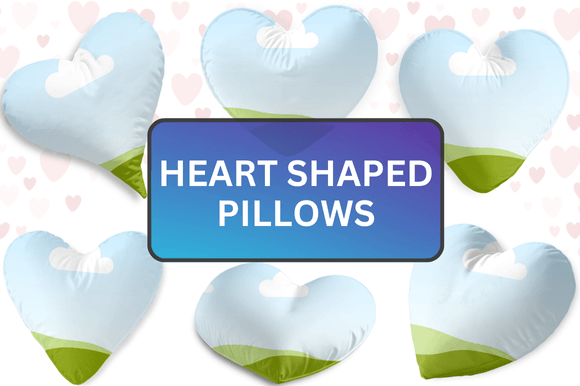
At its core, a Heart Pillow Mockup is a pre-designed digital template, typically found within a Canva file, that allows you to showcase your artwork, patterns, or branding on a realistic, three-dimensional heart-shaped pillow. You're not buying a physical product; you're acquiring a powerful design asset. The visual appeal lies in its charming, approachable aesthetic. These mockups often feature soft textures, natural lighting, and cozy settings that instantly evoke feelings of comfort, love, and personal touch. The style is versatile, ranging from minimalist and modern to rustic and whimsical, depending on the specific template's staging and photography.
The personality of a Heart Pillow Mockup is inherently warm and engaging. It transforms a flat graphic into a tangible, lifestyle-oriented image. This isn't just about displaying a logo; it's about telling a story. The pillow becomes a character in a scene—perched on a styled bed, resting on an armchair, or held in someone's hands. This contextual presentation is what makes it so effective for brand identity and social media graphics, where connecting emotionally with the viewer is paramount.
Where Heart Pillow Mockups Truly Shine
The applications for these mockups are surprisingly broad, extending far beyond simple product display. For small business owners and entrepreneurs, especially those in handmade goods, home décor, or personalized gifts, Heart Pillow Mockups are indispensable. They allow you to create professional-looking product photos without the cost of a photographer, studio, or physical samples. You can instantly visualize how a customer's custom name, monogram, or illustration would look on a finished pillow, which is invaluable for packaging design presentations and e-commerce listings.
Designers and marketers can leverage these assets for various projects. Imagine creating a series of social media graphics for a Valentine's Day campaign, a wedding stationery brand, or a cozy lifestyle blog. The mockup provides a ready-made, scroll-stopping visual. For content creators and bloggers, it's a fantastic tool for creating featured images, Pinterest pins, or Instagram Stories that feel polished and cohesive. The consistency of using a library of similar mockups can significantly strengthen a visual brand identity.
Even for personal projects, the value is clear. Crafters and hobbyists can plan quilting projects, preview embroidery designs, or create meaningful gifts by seeing their patterns come to life in a mockup before cutting into fabric. The key is recognizing that this isn't a font or a typeface—it's a visual presentation tool. It won't influence typography or visual hierarchy in the way a serif font or sans serif font would. Instead, it influences the perception of the artwork you place upon it, adding a layer of professionalism and desirability.
Practical Guidance for Using Your Mockup Effectively
Once you've downloaded your ZIP file and accessed the Canva templates via the included PDF link, the real creative work begins. The drag-and-drop interface is designed for simplicity, but a few strategic considerations will elevate your results. First, evaluate the project fit. Does the pillow's setting—a rustic farmhouse table, a modern minimalist shelf, a child's nursery—align with your brand's aesthetic? The environment is half the message.
Next, focus on your design's integration. When you place your artwork onto the pillow layer in Canva, pay attention to scale and perspective. A pattern that's too large or too small can look unnatural. Use Canva's tools to adjust the brightness and contrast of your design layer to match the lighting of the original photo. This subtle step is what separates an obvious "mockup" from a convincing product shot.
Consider the final output. If you're creating a mockup for a website hero image, ensure the resolution is high. If it's for a fast-moving social media graphic, you might optimize the file size. While these templates are primarily for digital use, the principles of good editorial design apply: clarity, visual appeal, and a clear focal point. The pillow should enhance your design, not distract from it.
Finally, remember the human element. A pillow on a bed is nice, but a pillow being fluffed by a hand, or with a slight wrinkle, adds realism. The best mockups capture these organic details. By thoughtfully applying your custom designs to these Heart Pillow Mockups, you bridge the gap between a digital concept and a physical, feel-good product, making it a genuinely valuable tool in any creative's toolkit.